How to copy/paste selection from multiple lines
-
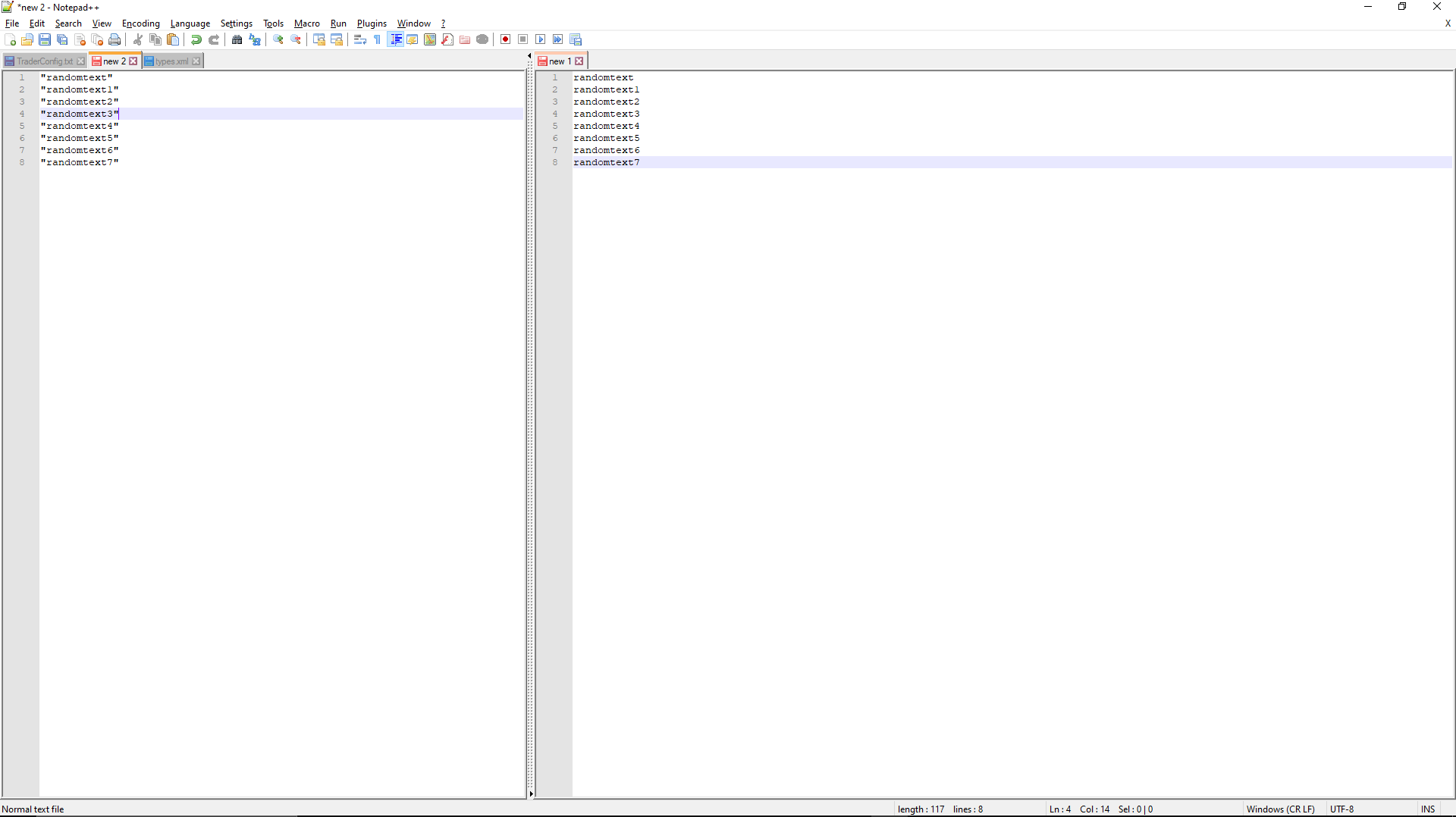
I would like to know if its possible to copy and paste a selection from multiple lines. In the picture provided for example if i could copy just the text within the quotations all at once it would speed up some editing majorly.Thanks in advance
-
@shawn-evans, and All,
I strongly advice you to install the @dail’s plugin
BetterMultiSelection, first. It’s really a must ;-))Then, once installed and enabled, given your text, below :
"random text"
"random text 1"
"random text 2"
"random text 3"
"random text 4"
"random text 5"
"random text 6"
"random text 7"
Simply, execute the following actions :
Ctrl + HOME                           #  Move at the VERY BEGINNING of document

ALt + Shift + DOWN arrow ( 7 times )  #  ZERO-length RECTANGULAR selection at BEGINNING of ALL lines

END                                   #  Go to END of lines

LEFT arrow,                           #  Move caret before the SECOND " symbol

Shift + HOME                          #  Select till BEGINNING of lines

Shift + RIGHT arrow                   #  Move END of selections, AFTER the FIRST " symbol

CTRL + C                              #  Copy the selections

CTRL + N                              #  Open a NEW tab

CTRL + V                              #  Paste the clipboard's contents
You might be interested in these 2 other plugins
SurrondSelectionandElasticTabstops. Refer to :Best Regards,
guy038
-
Hi @guy038, @Shawn-Evans, All
For illustrative purposes , here is an animated version of the instructions posted above by @guy038|:
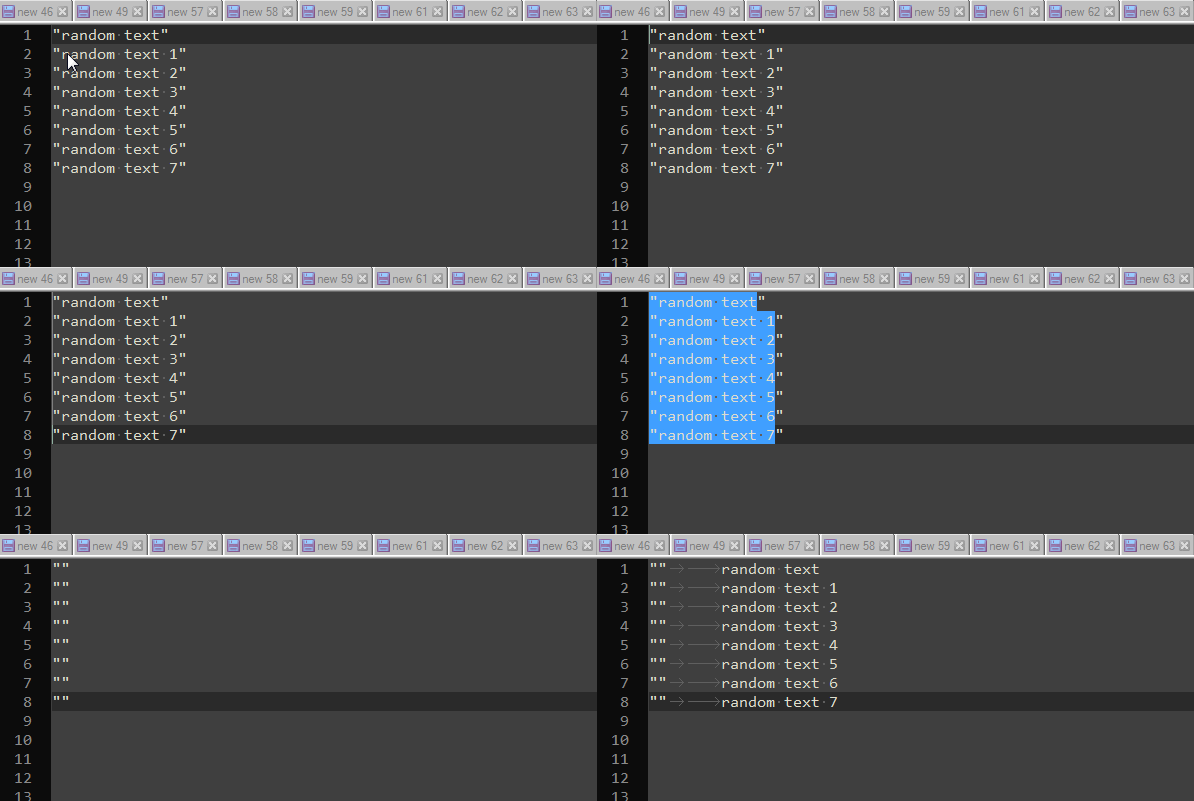
Hope you don’t mind I changed the ending :)
Have fun!



Hello! It looks like you're interested in this conversation, but you don't have an account yet.
Getting fed up of having to scroll through the same posts each visit? When you register for an account, you'll always come back to exactly where you were before, and choose to be notified of new replies (either via email, or push notification). You'll also be able to save bookmarks and upvote posts to show your appreciation to other community members.
With your input, this post could be even better 💗
Register Login