Community
    • Login

    Add the Icon to the toolbar
    Scheduled Pinned Locked Moved Help wanted · · · – – – · · ·
    32 Posts 4 Posters 15.3k Views
    Loading More Posts
    • Oldest to Newest
    • Newest to Oldest
    • Most Votes
    Reply
    • Reply as topic
    Log in to reply
    This topic has been deleted. Only users with topic management privileges can see it.
    • Thomas 2020T Offline
      Thomas 2020 @guy038
      last edited by

      @guy038
      Schowek02.jpg

      Thomas 2020T 1 Reply Last reply Reply Quote 0
      • Thomas 2020T Offline
        Thomas 2020 @Thomas 2020
        last edited by Thomas 2020

        Schowek03.jpg

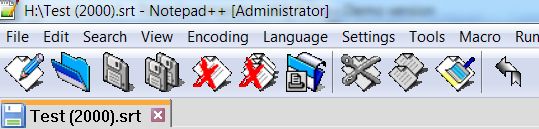
        Next the same icons

        1 Reply Last reply Reply Quote 0
        • guy038G Offline
          guy038
          last edited by

          Hi, @pan-jan,

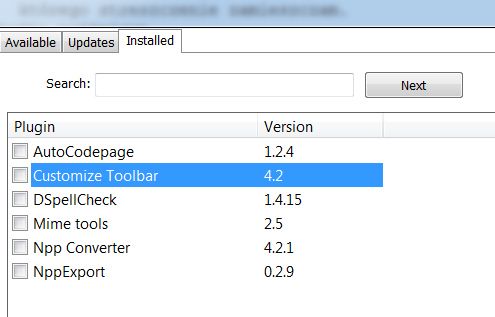
          As you installed the Customize Toolbar plugin, I suppose that some icons are absent, by default. You’ll have to add some of them to your current toolbar !

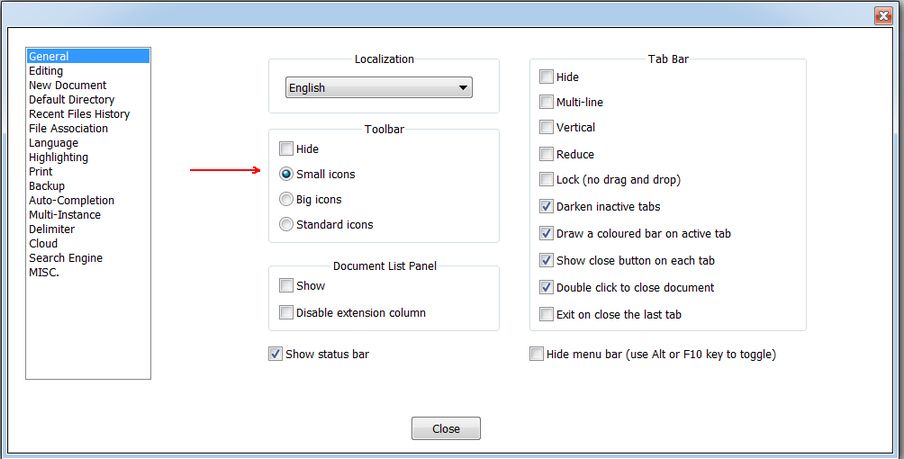
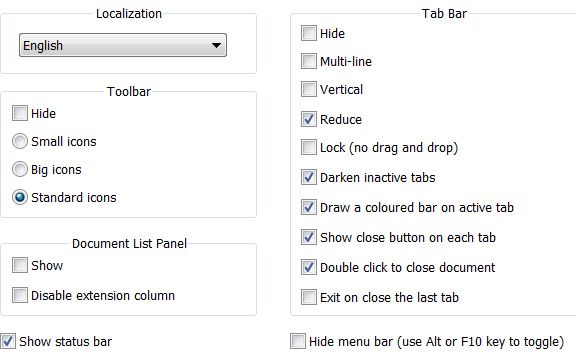
          Now, in Settings > Preferences...> General > Toolbar, under the box **Hide**, there 3 possibilities :

          • Small icons

          • Big icons

          • Standard icons

          Did you really select the Standard icons ?

          BR

          guy038

          Thomas 2020T 1 Reply Last reply Reply Quote 0
          • Thomas 2020T Offline
            Thomas 2020 @guy038
            last edited by

            @guy038
            Schowek04.jpg

            Thomas 2020T 1 Reply Last reply Reply Quote 0
            • Thomas 2020T Offline
              Thomas 2020 @Thomas 2020
              last edited by

              These are the icons I can choose from
              Schowek05.jpg

              1 Reply Last reply Reply Quote 0
              • guy038G Offline
                guy038
                last edited by

                @pan-jan,

                Could you do a test, selecting the choice Standard icons ?

                Then stop and restart Notepad++ => You should see all the plugin’s icons on the right of the toolbar !

                BR

                guy038

                Thomas 2020T 1 Reply Last reply Reply Quote 0
                • Thomas 2020T Offline
                  Thomas 2020 @guy038
                  last edited by

                  @guy038
                  This is it.
                  I have them all now.
                  Thank you very much.

                  Thomas 2020T 1 Reply Last reply Reply Quote 1
                  • Thomas 2020T Offline
                    Thomas 2020 @Thomas 2020
                    last edited by

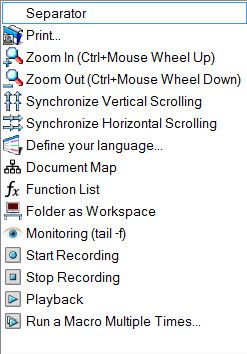
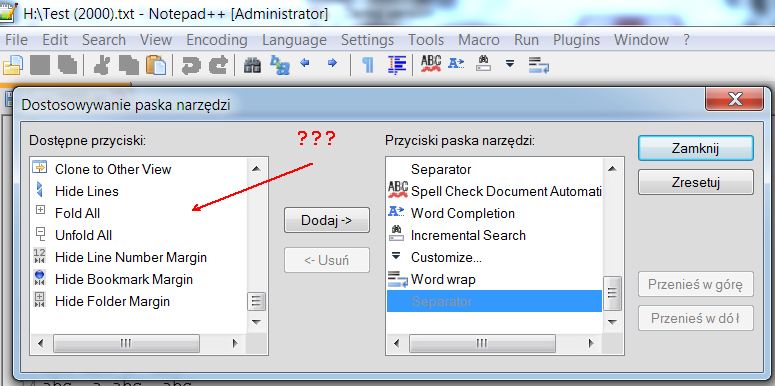
                    I would like to insert into the Toolbar an icon with …
                    Schowek01.jpg

                    How to add icon to this bar …
                    if she’s not here.
                    Schowek02.jpg

                    1 Reply Last reply Reply Quote 0
                    • guy038G Offline
                      guy038
                      last edited by guy038

                      Hello @pan-jan and All,

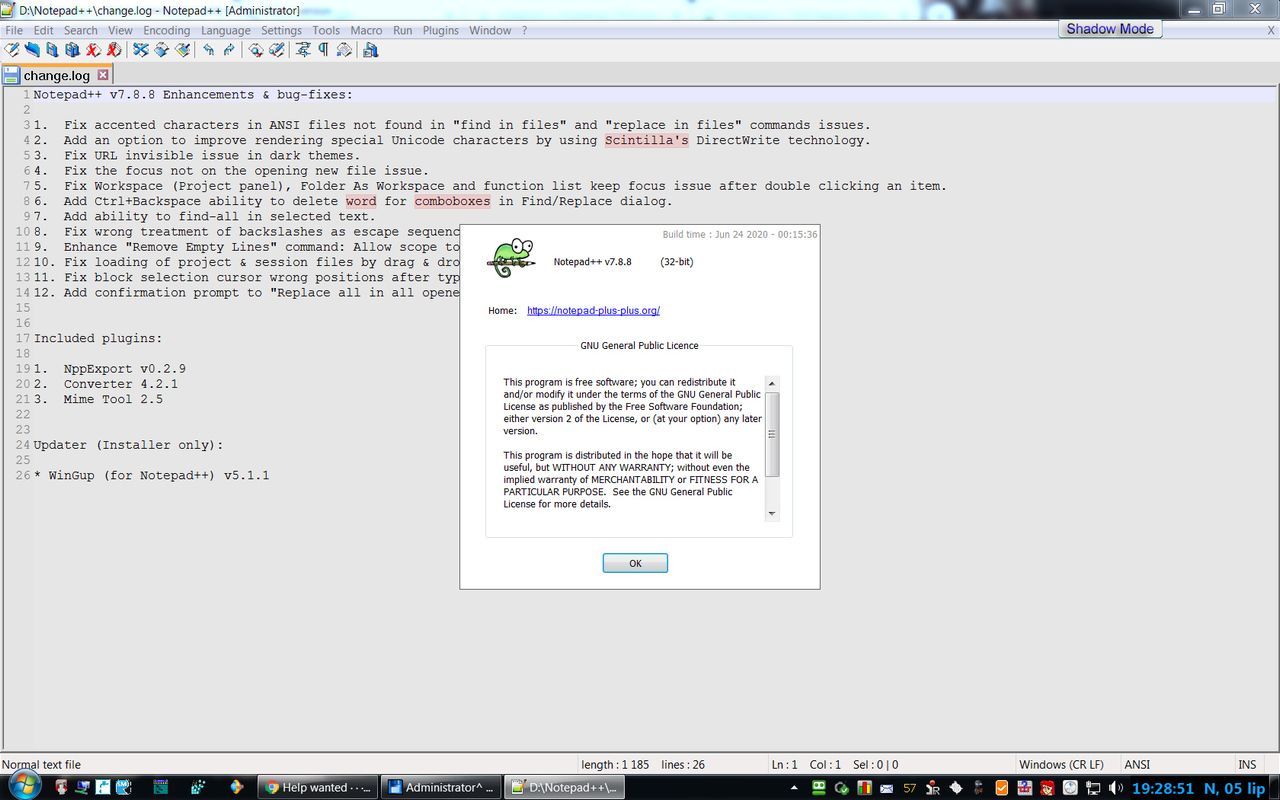
                      I just installed the last Unicode 4.2.0.0 - x32 version of the Customize Toolbar plugin in N++ v7.8.8 from here :

                      https://sourceforge.net/projects/npp-customize/files/Customize Toolbar v4.2/

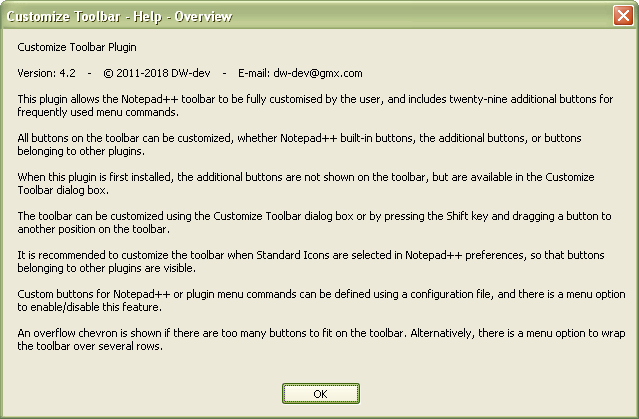
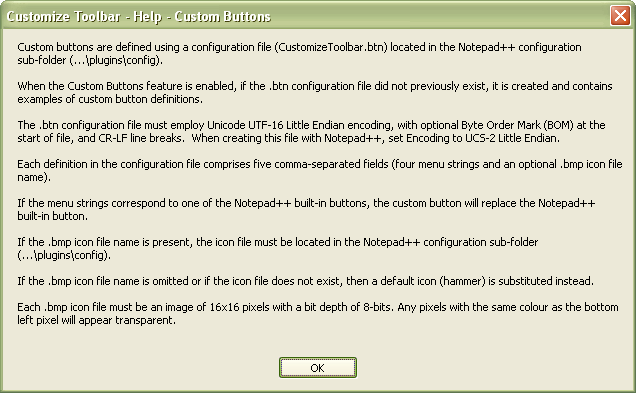
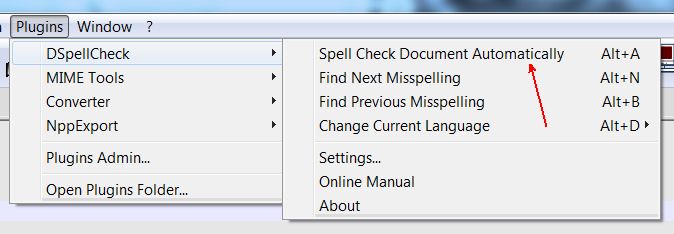
                      And, in the Customize Toolbar menu, I see two lines :

                      • Help - Overview :

                      4e4b96c5-b558-4832-9ad1-737c6ae1a7c3-image.png

                      • Help - Custom buttons :

                      bf0919d6-09ea-4896-997e-5fe58c6c7a18-image.png


                      Sorry, I do not have time, presently, to investigate further on, in this matter. However, if this help is not enough for you, you could ask the plugin’s author, by e-mail, for additional information !

                      Best Regards,

                      guy038

                      Thomas 2020T 1 Reply Last reply Reply Quote 3
                      • Thomas 2020T Offline
                        Thomas 2020 @guy038
                        last edited by

                        @guy038
                        Schowek01.jpg
                        Schowek02.jpg

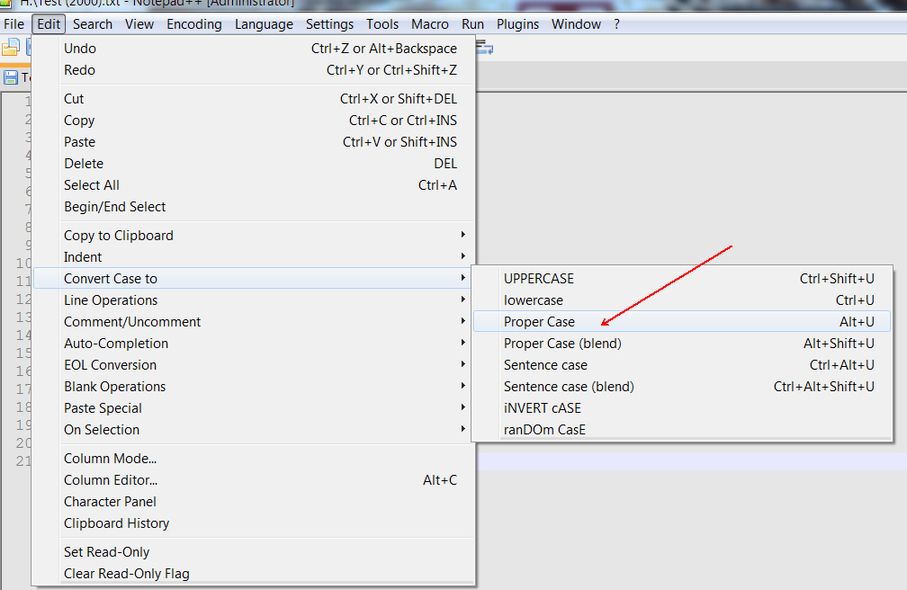
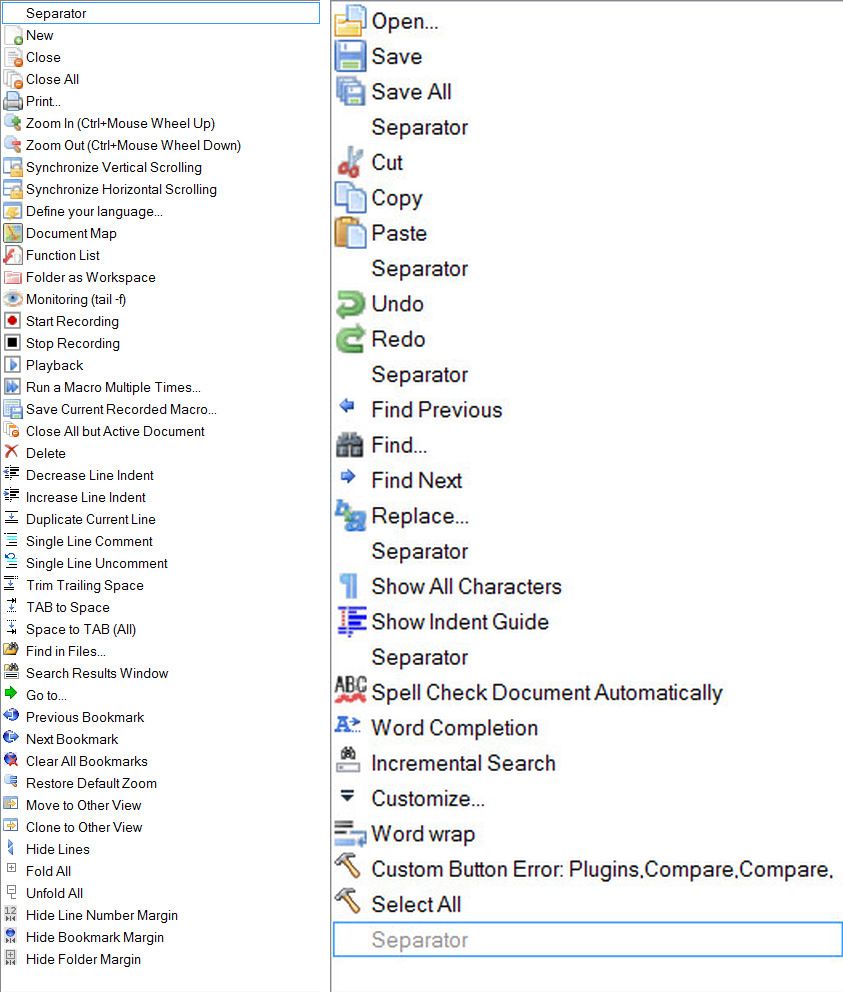
                        Available buttons: Proper Case „Alt+U”… none
                        Schowek.jpg

                        Thomas 2020T 1 Reply Last reply Reply Quote 0
                        • Thomas 2020T Offline
                          Thomas 2020 @Thomas 2020
                          last edited by

                          No entry:
                          Schowek03.jpg

                          1 Reply Last reply Reply Quote 0
                          • guy038G Offline
                            guy038
                            last edited by guy038

                            Hi, @pan-jan and All,

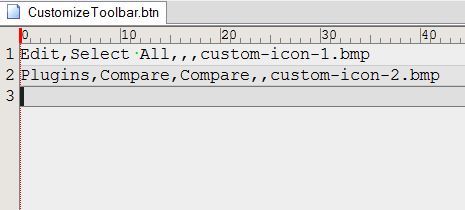
                            • Change the contents of the CustomizeToolbar.btn as below :
                            Edit,Select All,,,custom-icon-1.bmp
                            Edit,Convert Case to,Proper Case,,custom-icon-2.bmp
                            
                            • Save the modifications of CustomizeToolbar.btn

                            • Stop and restart N++

                            • As you can see, the first default hammer icon is colorized and works ( Select All )

                            • However the second hammer icon remains grayed and does not seem to work :-((

                            After some tests, I realized that this second hammer becomes active ONLY IF you select a tab with a normal selection in its contents. In this case, hitting the second hammer icon does apply the Proper Case feature to the selection !

                            Indeed, if you select Edit > Convert Case to, you can see that the sub-menu is all grayed, if no selection has been done, previously !

                            So, refer to the plugin’s author for possible fixes. May be this wrong behavior depends on of Notepad++, itself !


                            BTW, in the meanwhile, simply do your selection and use the default Alt + U shortcut ! Easier, isn’t it ?.

                            Since decades, I don’t click, anymore, on the Toolbar buttons for Ctrl + C, Ctrl + V, Ctrl + A, Ctrl + Z, Ctrl + Y and so on…, preferring the shortcuts !!!

                            Best Regards,

                            guy038

                            Thomas 2020T 1 Reply Last reply Reply Quote 1
                            • Thomas 2020T Offline
                              Thomas 2020 @guy038
                              last edited by

                              @guy038
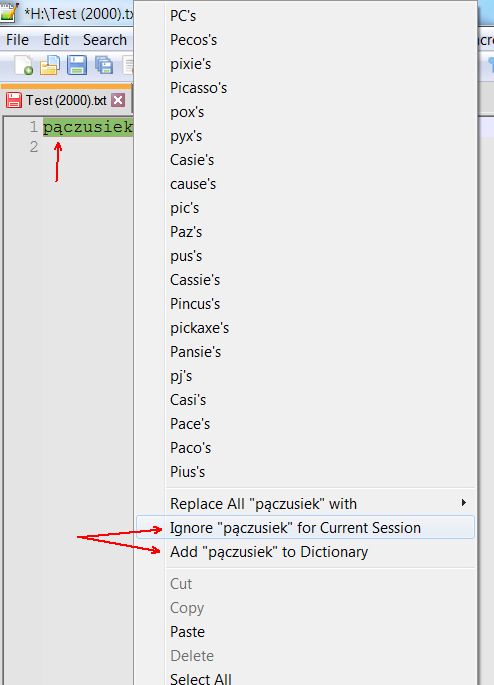
                              I can’t add the word with the letter “ą” to the dictionary or for Current Session
                              Schowek01.jpg

                              1 Reply Last reply Reply Quote 0
                              • guy038G Offline
                                guy038
                                last edited by

                                Hello, @pan-jan and All,

                                Sorry for my late answer ! Initially, I did not see a good explanation ! One day, I realized that, may be, your dictionary file was probably ANSI encoded ! I verified my assertion and, indeed, it’s the cause of your problem !

                                So, here is the road map :

                                • Go to the folder ...\plugins\config\Hunspell

                                • Back-up your lang.dic and lang.aff files ( One never knows ! )

                                • Start Notepad++

                                • Disable, temporarily, the DSpellCheck plugin

                                • Open the two files lang.dic and lang.aff, from within N++

                                • Change the first line of lang.aff with the command SET UTF-8

                                • Verify, in the status bar, that its encoding is UTF-8 ( not UTF-8-BOM ! )

                                • Save the modifications

                                • Select the lang.dic tab ( Probably, this file is ANSI encoded )

                                • Run the command Encoding > Convert to UTF-8 ( not convert to UTF-8-BOM ! )

                                • After a little while, save the modifications of lang.dic

                                • Now, close the two files lang.dic and lang.aff files

                                • Enable, again, the DSpellCheck plugin

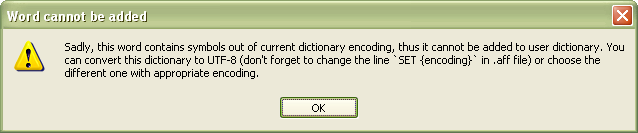
                                => This time, if special words contain Unicode characters, with code-point over \x{00FF}, you should be able to add to the dictionary , in the lang.usr file


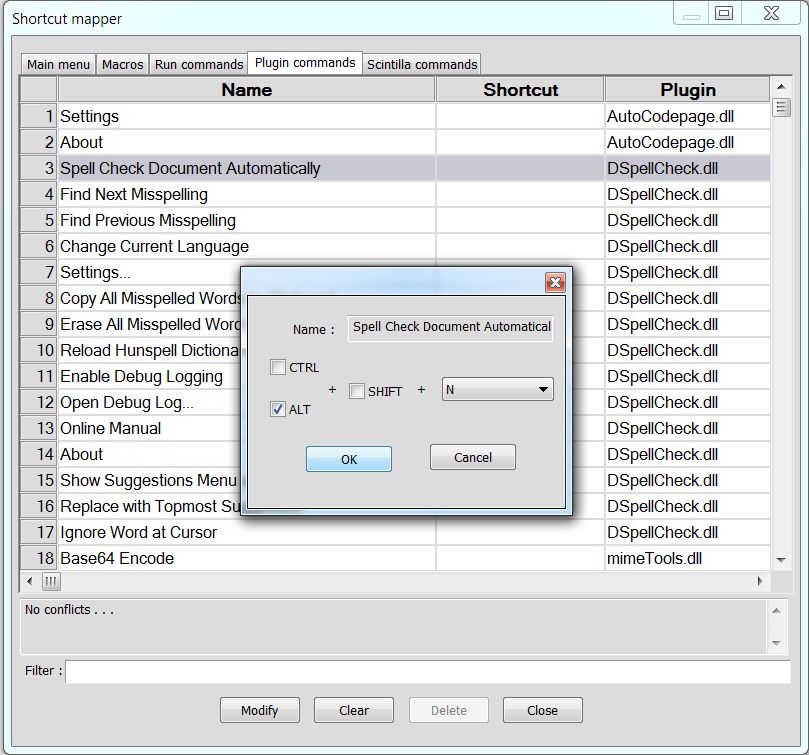
                                Anyway, the method is self-explained in the dialog, below, and I suppose that you’ve found out the solution, by now !
                                3350858c-61fb-4aef-8953-f8c87073b610-image.png

                                Best Regards

                                guy038

                                1 Reply Last reply Reply Quote 1
                                • Thomas 2020T Offline
                                  Thomas 2020
                                  last edited by

                                  I don’t use Hunspell.
                                  This is happening in Aspell.
                                  These words are written in pl.pws.
                                  pl.pws has ISO format.

                                  EkopalypseE 1 Reply Last reply Reply Quote 0
                                  • EkopalypseE Offline
                                    Ekopalypse @Thomas 2020
                                    last edited by

                                    @Pan-Jan

                                    maybe this clarifies what you need to do??

                                    1 Reply Last reply Reply Quote 1
                                    • Thomas 2020T Offline
                                      Thomas 2020
                                      last edited by

                                      early there is such a big picture and it is explained there

                                      1 Reply Last reply Reply Quote 0
                                      • guy038G Offline
                                        guy038
                                        last edited by guy038

                                        @pan-jan

                                        I’m really disappointed by your answer !

                                        If you had mentioned that you use Aspell dictionaries, I wouldn’t have wasted my time, writing my answer and testing one hour, about, because I use the default Hunspell dictionaries !

                                        Moreover, I just verified that the simple Google search Aspell form gives, among all the possibilities, Aspell file format and, then, the link, below :

                                        http://aspell.net/man-html/Format-of-the-Personal-and-Replacement-Dictionaries.html

                                        which redirects you to the article that @ekopalypse just gave you !

                                        BR

                                        guy038

                                        1 Reply Last reply Reply Quote 3
                                        • Thomas 2020T Offline
                                          Thomas 2020
                                          last edited by

                                          My fault. Excuse me.
                                          I don’t know English and there may be a misunderstanding which doesn’t mean I’m rude.

                                          EkopalypseE 1 Reply Last reply Reply Quote 0
                                          • Thomas 2020T Offline
                                            Thomas 2020
                                            last edited by

                                            @guy038
                                            Maybe you know how to add new words to pl_PL.dic?
                                            I tried in different places and nobody could solve it for me.

                                            1 Reply Last reply Reply Quote 0

                                            Hello! It looks like you're interested in this conversation, but you don't have an account yet.

                                            Getting fed up of having to scroll through the same posts each visit? When you register for an account, you'll always come back to exactly where you were before, and choose to be notified of new replies (either via email, or push notification). You'll also be able to save bookmarks and upvote posts to show your appreciation to other community members.

                                            With your input, this post could be even better 💗

                                            Register Login
                                            • First post
                                              Last post
                                            The Community of users of the Notepad++ text editor.
                                            Powered by NodeBB | Contributors