Strange characters while using column select
-
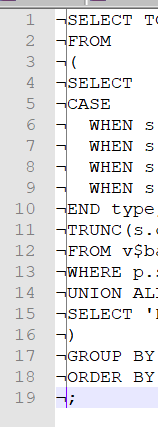
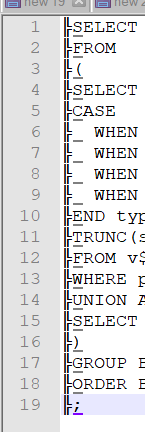
Sometimes it happens that I get strange characters when trying to ie replace the first three characters of all lines by using column select. I hit SHIFT+ALT, when I release them I get the characters (check screenshots). The characters differ.
What can cause this? It does not happen all the time.
-
Are you using the arrow keys on the numeric keypad to move the caret to define your column block?
If so, there is a known issue with doing this; see https://github.com/notepad-plus-plus/notepad-plus-plus/issues/5321
It appears to be a Scintilla bug (but fixed there) so it will not be fixed until Notepad++ updates the version of Scintilla it uses, which happens very infrequently. -
@Alan-Kilborn That looks exactly like my issue. Thanks!


Hello! It looks like you're interested in this conversation, but you don't have an account yet.
Getting fed up of having to scroll through the same posts each visit? When you register for an account, you'll always come back to exactly where you were before, and choose to be notified of new replies (either via email, or push notification). You'll also be able to save bookmarks and upvote posts to show your appreciation to other community members.
With your input, this post could be even better 💗
Register Login