is there a way to use Notepad++ with the Windows Classic version on Windows 10?
-
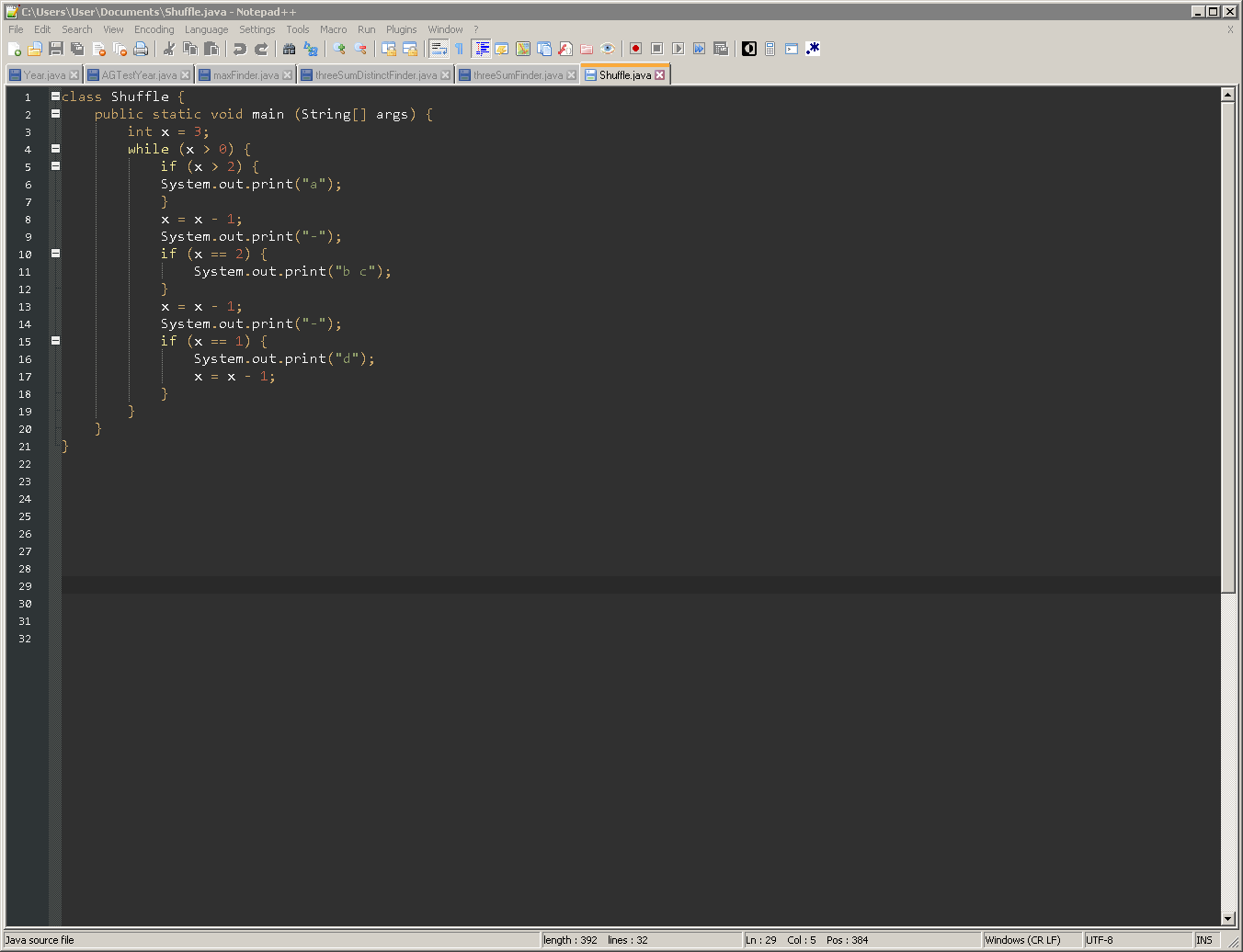
hii, I recently downloaded Notepad++ onto an older laptop I have that has Windows 7. In the laptop, I enabled the “Windows Classic Theme” and it changed the appearance of Notepad++ to something that I really liked. Is there any way to get this same appearance on Notepad++ for Windows 10? Attached is a screenshot of what Notepad++ looked like on Windows 7 w/ Windows Classic theme enabled. thanks in advance for any response or help!
-
@carlos-navarro said in is there a way to use Notepad++ with the Windows Classic version on Windows 10?:
like on Windows 7 w/ Windows Classic theme
From your description, I assume that “Windows Classic theme” is a Windows OS theme, not a Notepad++ > Settings > Style Configurator > Theme selection. If so, then there’s nothing that Notepad++ can do for you to be equivalent in Windows 10.
-
There is that new black hole known as ‘Dark Mode’ (introduced in Npp 8.0), but just like any theme package, you must be prepared to spend a fair amount of time tweaking both it [ Settings > Preferences… > Dark Mode ] and your favored theme file [ Settings > Style Configutator… ]. From what I’ve gathered, there are still a few spots where Windows insists on controlling a portion of the user interface, so expect “bleed through”.


Hello! It looks like you're interested in this conversation, but you don't have an account yet.
Getting fed up of having to scroll through the same posts each visit? When you register for an account, you'll always come back to exactly where you were before, and choose to be notified of new replies (either via email, or push notification). You'll also be able to save bookmarks and upvote posts to show your appreciation to other community members.
With your input, this post could be even better 💗
Register Login