Add a character to the beginning of each bookmarked line
-
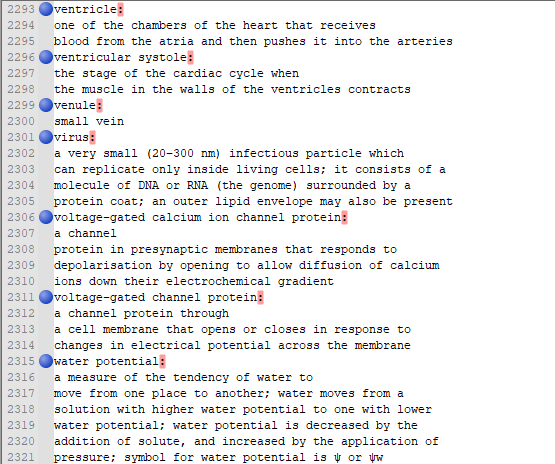
How can i add a : in front of all bookmarked line
or does anyone know an easier way to make a CSV out of this so that i can have the highlighted match to their definition (the one below it) -
Hello, @zean-yauh and All,
Do you mean something like that ?
SEARCH
(?-s)\R(?!.+:)REPLACE
\x20-
Tick the
Wrap aroundoption -
Select the
Regular expressionsearch mode -
Click on the
Replace Allbutton
Best Regards,
guy038
-


Hello! It looks like you're interested in this conversation, but you don't have an account yet.
Getting fed up of having to scroll through the same posts each visit? When you register for an account, you'll always come back to exactly where you were before, and choose to be notified of new replies (either via email, or push notification). You'll also be able to save bookmarks and upvote posts to show your appreciation to other community members.
With your input, this post could be even better 💗
Register Login