Why does TextFX Change Case trim off the last character that is selected?
-
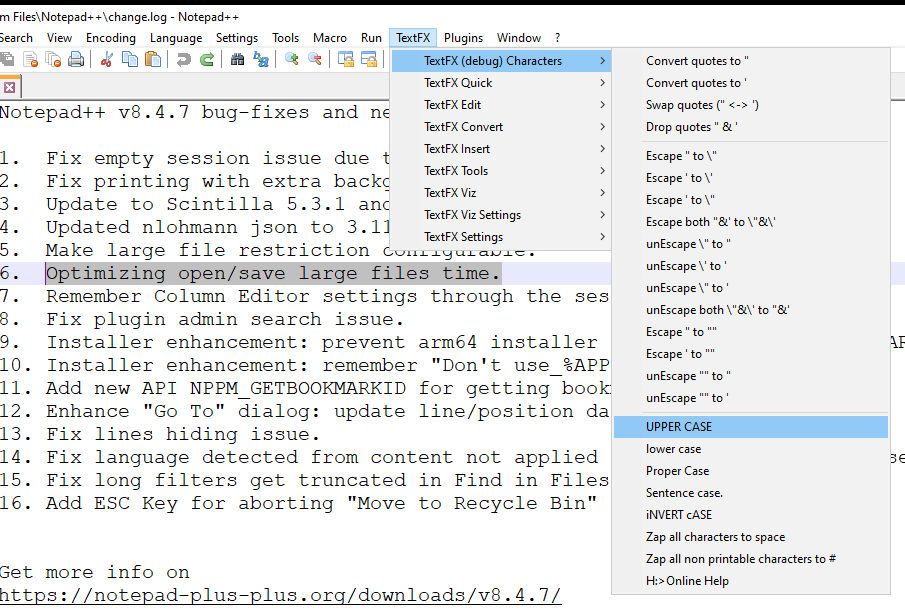
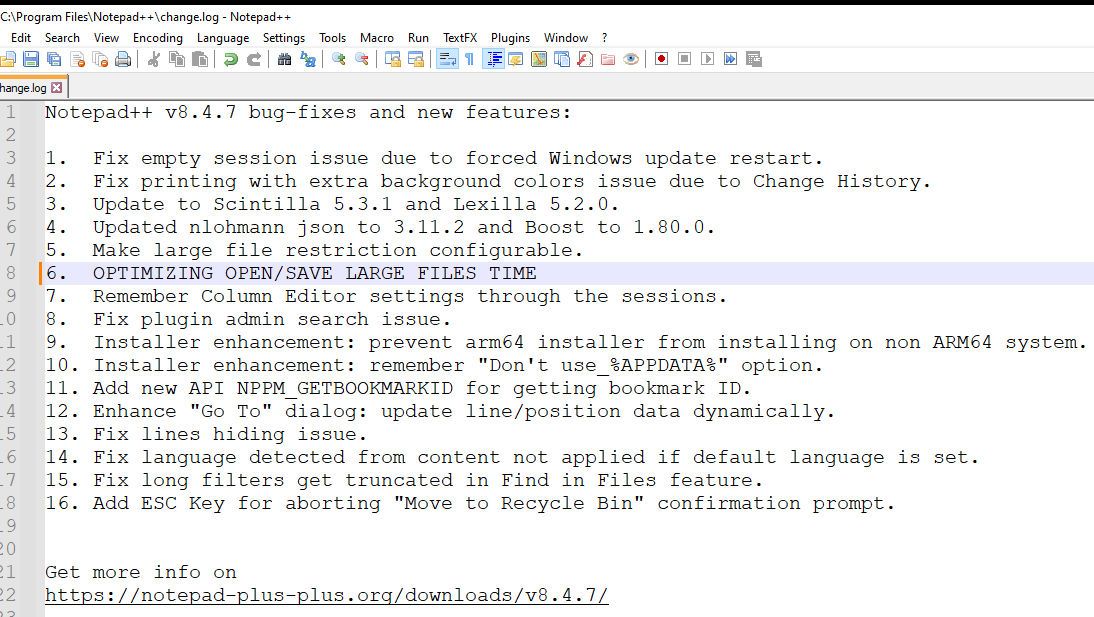
Why does TextFX Change Case trim off the last character that is selected? (Screenshot shows “.” is removed)
-
-
Thank you!
-
@Herbert-Ripka said in Why does TextFX Change Case trim off the last character that is selected?:
Why does TextFX Change Case trim off the last character that is selected?
Because the original TextFX is outdated, and not communicating with the Notrpad++ editor according to the current interface. You were lucky you picked an operation that just truncated, rather than one that crashes Notepad++. Do not use old TextFX with recent Notepad++.
If you look at our TextFX FAQ , you will see a link to NppTextFX2, where @rainman74 kindly updated the original plugin to work with recent Notepad++. You have to manually install it, but it should work for you.
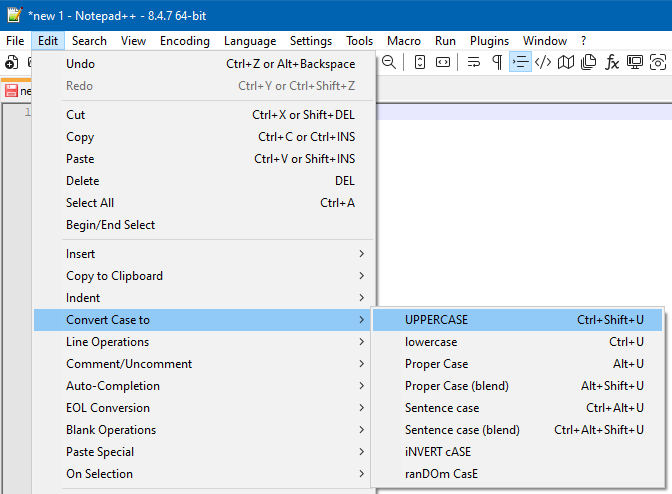
But, as @Alan-Kilborn said, Notepad++ natively handles that particular operation now, no plugin needed



Hello! It looks like you're interested in this conversation, but you don't have an account yet.
Getting fed up of having to scroll through the same posts each visit? When you register for an account, you'll always come back to exactly where you were before, and choose to be notified of new replies (either via email, or push notification). You'll also be able to save bookmarks and upvote posts to show your appreciation to other community members.
With your input, this post could be even better 💗
Register Login