Strange new error --> Find: Can't find the text "foobar" from caret to end-of-file
-
Hi –
I’ve used Notepad++ for many years with no problems. Suddenly, I am constantly getting a strange error when searching for strings:
Find: Can't find the text "foobar" from caret to end-of-fileAny idea what that means? I must have somehow gotten something misconfigured.
Thanks, Gary
Here is my config:
Notepad++ v8.6.2 (32-bit) Build time : Jan 14 2024 - 02:18:41 Path : C:\Program Files (x86)\Notepad++\notepad++.exe Command Line : "C:\Users\Windows\Documents\.txt" Admin mode : OFF Local Conf mode : OFF Cloud Config : OFF OS Name : Windows 10 Enterprise (64-bit) OS Version : 22H2 OS Build : 19045.4170 Current ANSI codepage : 1252 Plugins : mimeTools (3) NppConverter (4.5) NppExport (0.4) XMLTools (2.4.11) -
Show us a screenshot of your Find window, plus the editor window with some text that should generate a match. Here’s an example of such a screenshot:
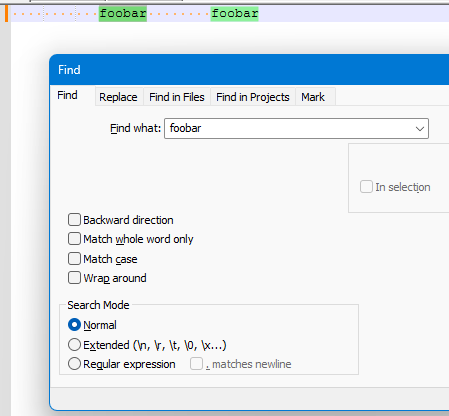
but we need to see YOURS.
Please take care to show or identify the current caret location as well (which I neglected to do in my example screenshot).
-
Hi Alan,
Here are two screenshots:
Screenshot 1: The cursor was at the top of the file and “foobar” is found.
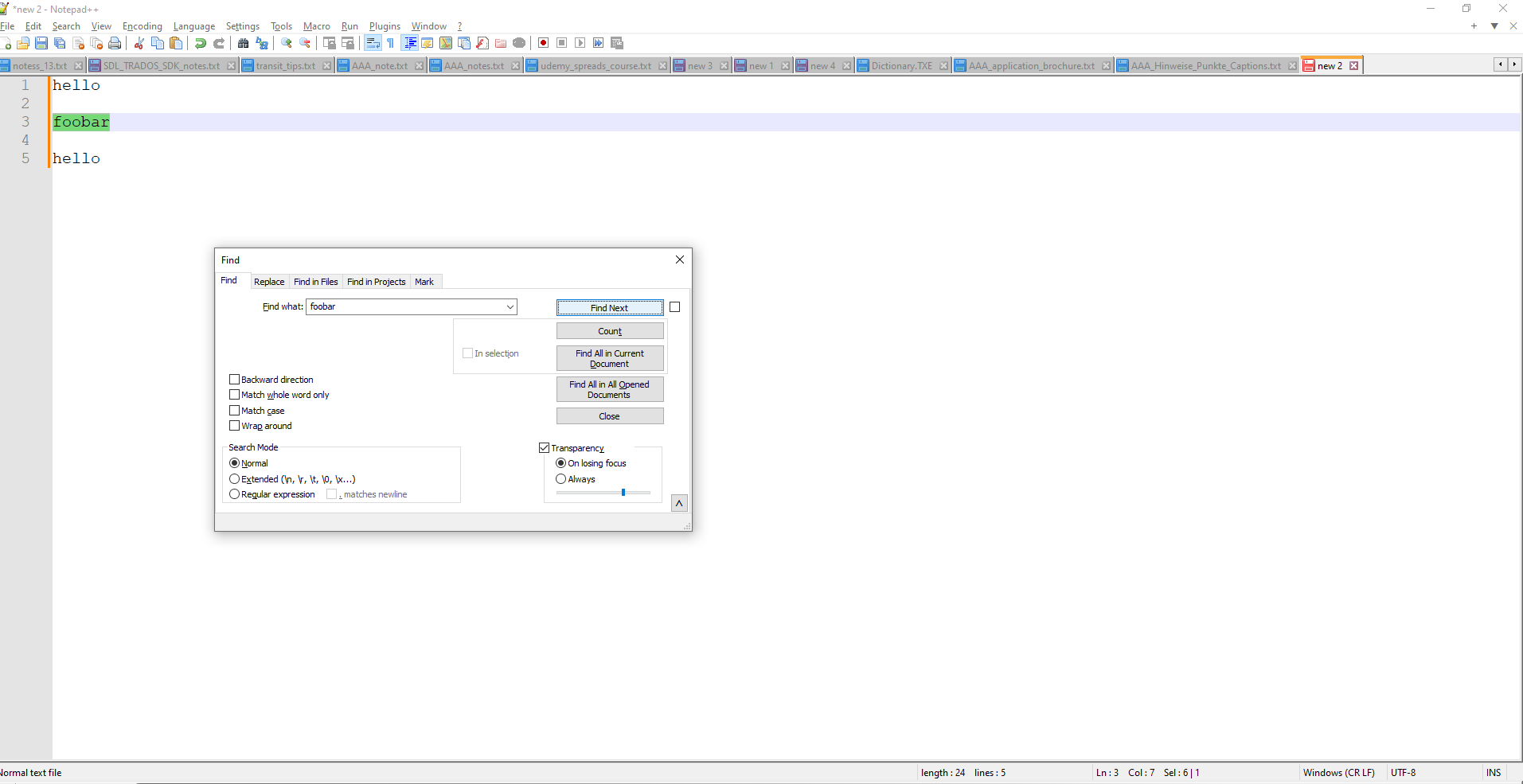
Screenshot 2: The cursor was after “foobar” and “foobar” not is found.
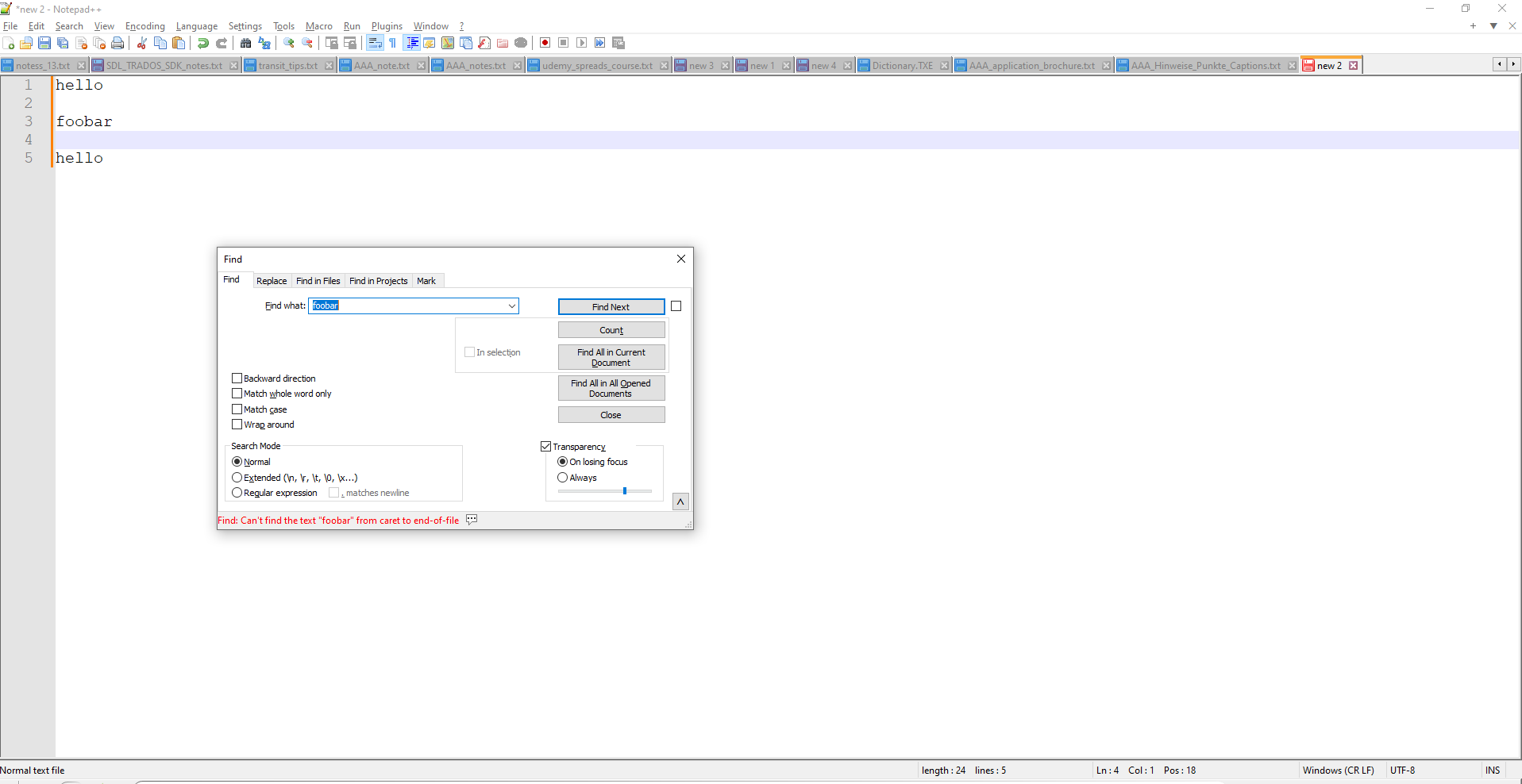
Thanks,
Gary -
Sorry, I figured it out. “Wrap around” wasn’t checked.


Hello! It looks like you're interested in this conversation, but you don't have an account yet.
Getting fed up of having to scroll through the same posts each visit? When you register for an account, you'll always come back to exactly where you were before, and choose to be notified of new replies (either via email, or push notification). You'll also be able to save bookmarks and upvote posts to show your appreciation to other community members.
With your input, this post could be even better 💗
Register Login