Need help linking CSS with html
-
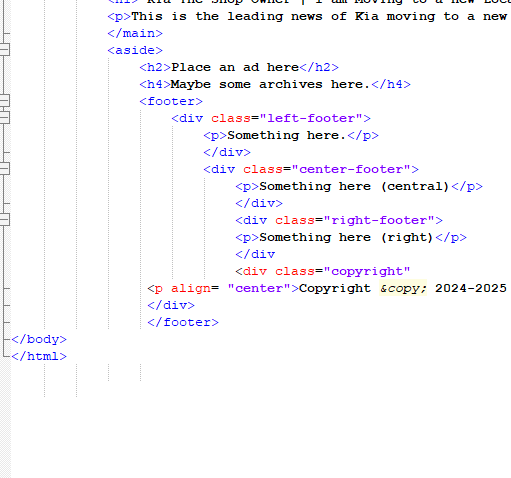
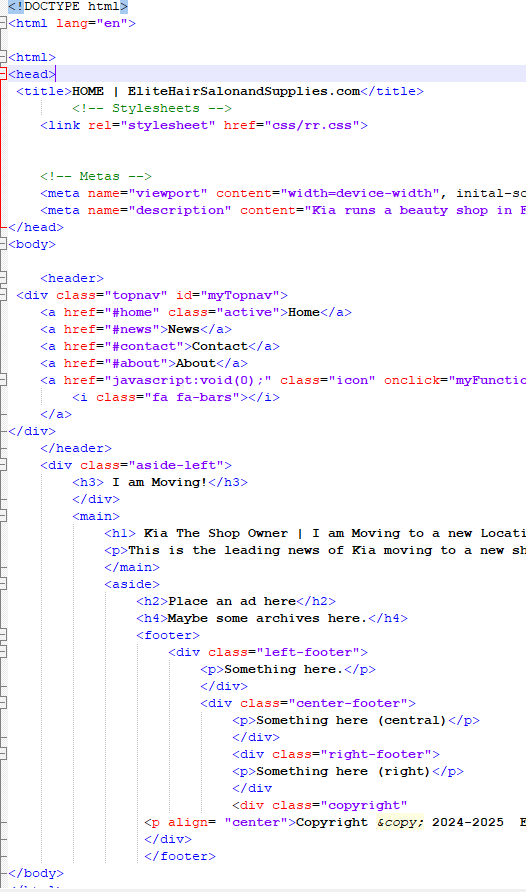
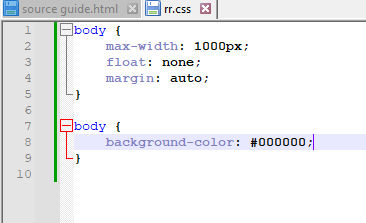
I am using the href method in HTML, and it will not link no matter what I do. I have tried updating Notepad++, which I do not think has anything to do with it. I have checked the path multiple times, and it seems to be correct. If someone could please help me, that would be great. I have linked an attachment below.

-
@tilsy637 said in Need help linking CSS with html:
I have tried updating Notepad++, which I do not think has anything to do with it.
This is the correct assessment. And since this is a Community Forum about Notepad++, and your question has nothing to do with Notepad++, then this is not the right forum for this question. You need to find a site dedicated to HTML+CSS, because your question is about coding, not about how to use the Notepad++ text editor.
-
If you mean that in your text
href="css/rr.css"Notepad++ does not rendercss/rr.cssas a clickable link, that is expected. Only complete URLs (with thehttp://part, for example) are clickable. Even though what you’ve written is a relative URL in the context of HTML, Notepad++ doesn’t understand HTML and can’t recognize it as a link. You have to navigate to it on your own.If you mean it doesn’t work when you open it in a browser, then as @PeterJones wrote, this is the wrong forum.
If you meant that Notepad++ doesn’t apply the style information, it will not. Notepad++ is strictly a source (plain text, with some syntax highlighting) editor; it can’t do “what you see is what you get” editing for HTML.


Hello! It looks like you're interested in this conversation, but you don't have an account yet.
Getting fed up of having to scroll through the same posts each visit? When you register for an account, you'll always come back to exactly where you were before, and choose to be notified of new replies (either via email, or push notification). You'll also be able to save bookmarks and upvote posts to show your appreciation to other community members.
With your input, this post could be even better 💗
Register Login