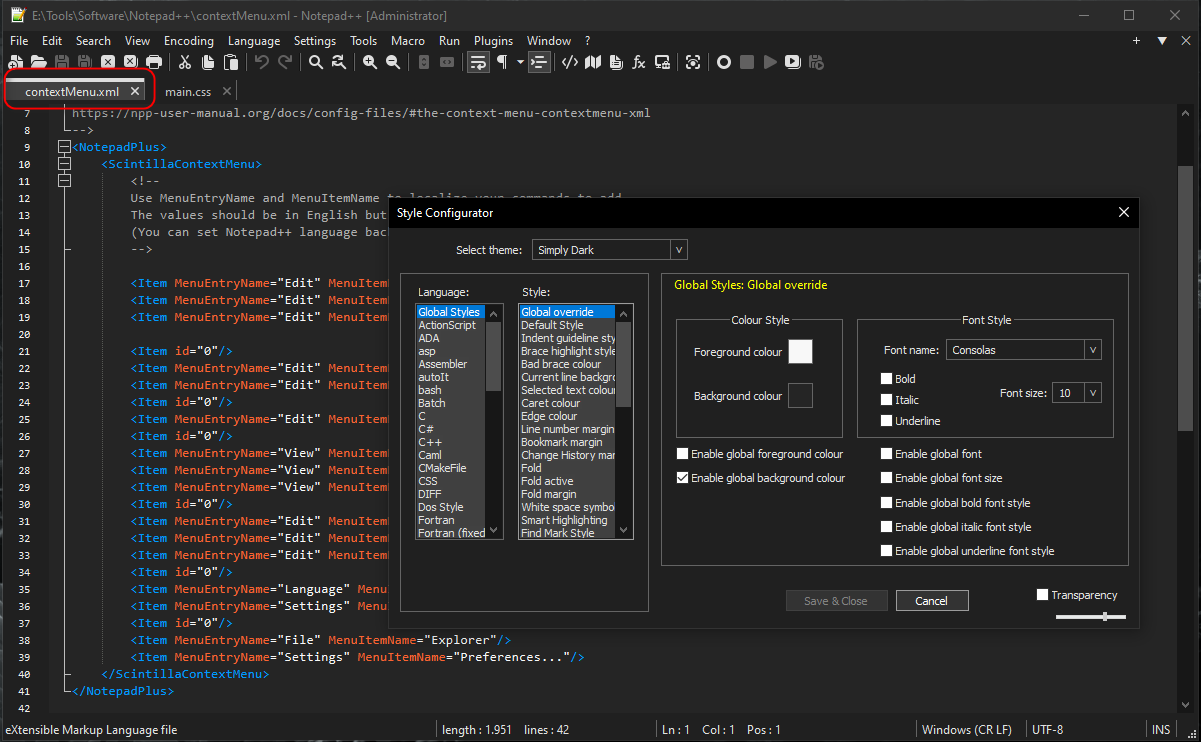
Style Configurator / Theme -> (active) Tab color
-
Heya.
I’ve been working on a theme, on and off, for a while now and I’m getting close to finish it ( … I think …).
Is there a place where I can change the color of the (active) tab? I have Dark Mode enabled and I can change it there. Where in the styles, so I can use the config on different computers?
Thanks for the help in advance.
-
@JajinderK said in Style Configurator / Theme -> (active) Tab color:
Is there a place where I can change the color of the (active) tab?
The color of the bar over the text for the active tab? Yes: Global Styles > Active tab focused
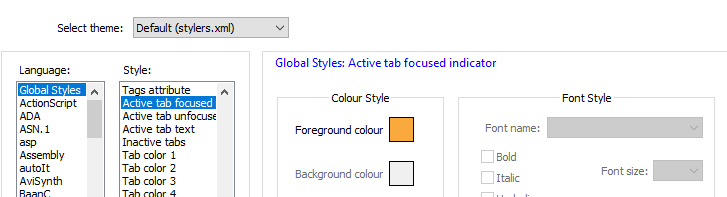
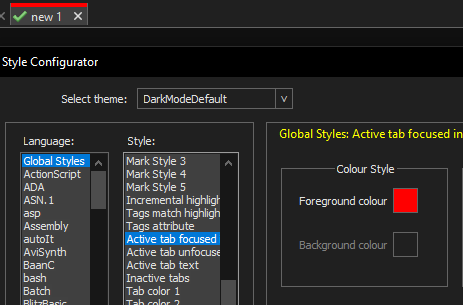
However, that doesn’t change the rest of the tab-title’s background: that can only be changed by the Dark Mode tone settings for “Active”, which aren’t part of the theme.
Themes are primarily about the colors inside the text-editing area, so that’s where the development focus was; the GUI elements are mostly not controlled by the theme, but by the dark-mode/light-mode.
-
@PeterJones said in Style Configurator / Theme -> (active) Tab color:
Themes are primarily about the colors inside the text-editing area, so that’s where the development focus was; the GUI elements are mostly not controlled by the theme, but by the dark-mode/light-mode.
Thank you for the reply. Too bad I can’t share the complete theme then. I just realized that I’ll have to copy my config.xml (appdata/roaming/notepad++/) to make the theme complete.
Well, at least I typed everything down, where and what I need to change, in case I reinstall windows.Thanks for thinking with me ;)

Hello! It looks like you're interested in this conversation, but you don't have an account yet.
Getting fed up of having to scroll through the same posts each visit? When you register for an account, you'll always come back to exactly where you were before, and choose to be notified of new replies (either via email, or push notification). You'll also be able to save bookmarks and upvote posts to show your appreciation to other community members.
With your input, this post could be even better 💗
Register Login