Loss of ability to create two vertical lines in Vertical Edge Settings
-
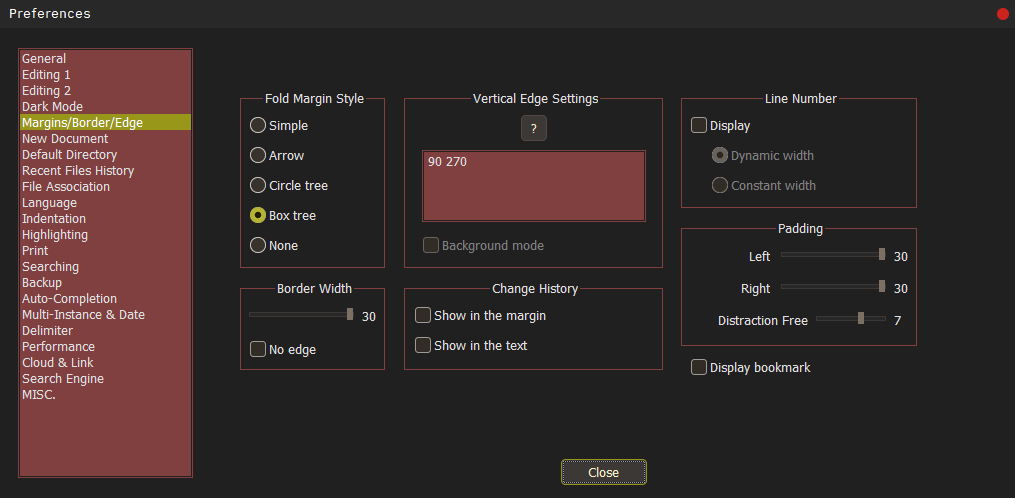
Hello, I previously had the ability to draw two vertical lines in Vertical Edge Settings, which allowed me to write text in contained view mode. However, I can no longer do this. Before asking this question, I’ve read all similar questions, but none of them addressed my specific issue
This issue represents a significant problem for my workflow in Notepad++
Thank you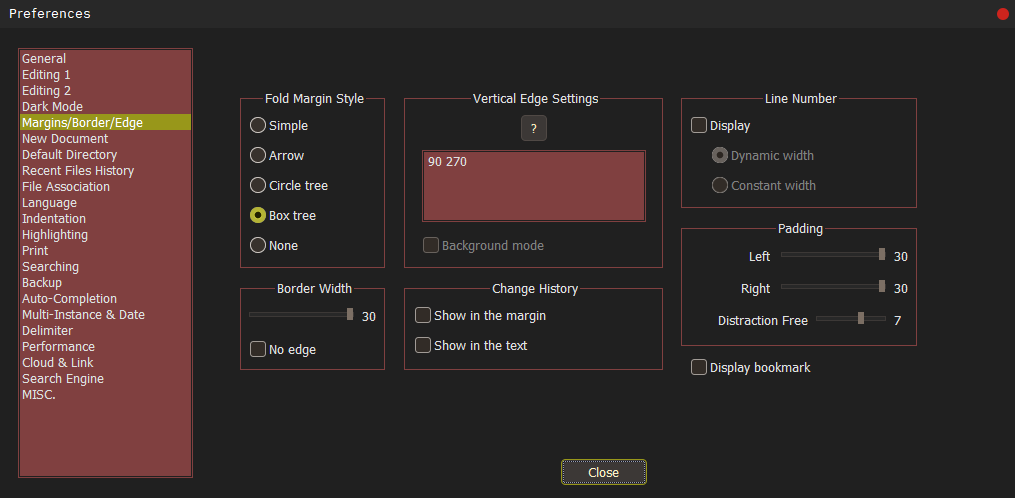
-
@FNActivity ,
You don’t provide your?->Debug info..., so we don’t know what version you’re using, nor do you show a screenshot of your actual editor behind that Settings dialog, so hard to see what color you use.That said, I’m able to do what you say, but setting a second vertical edge in my settings of 80 and 120. At best I suggest you show as my screenshot shows, both dialogs Preferences and Style Configurator along with the editor view so we can see the color choices you made. You may have a black screen with black edge, but we don’t know with what information that you haven’t given us. Check the
Settings->Style Configurator...->Edge Colorso we can see what your settings are, like this screenshot shows.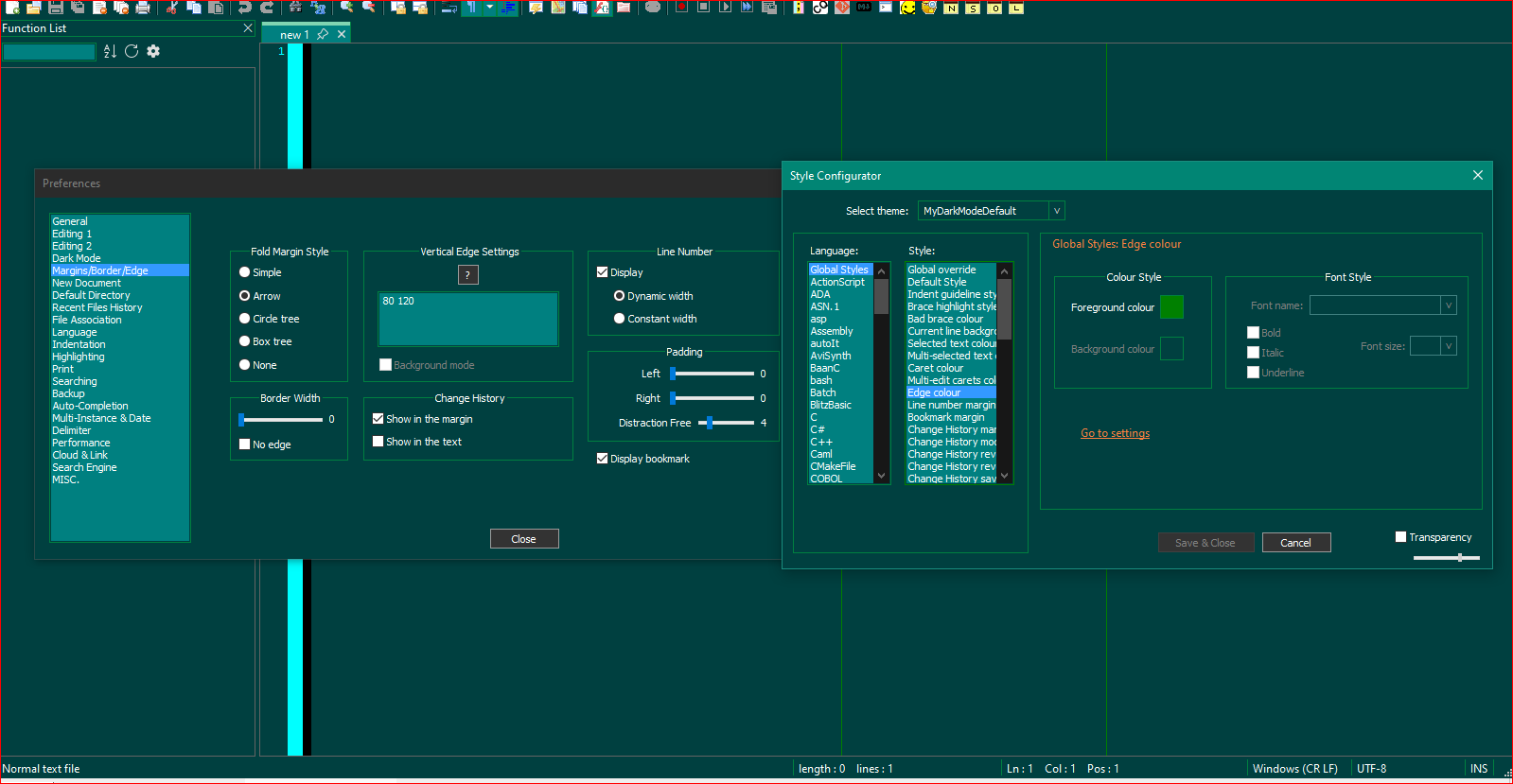
-
@Lycan-Thrope
I apologize for not knowing this information was needed
I’ll definitely provide it :Debug info
Notepad++ v8.7.5 (64-bit)
Build time : Dec 21 2024 - 05:13:03
Path : C:\Program Files\Notepad++\notepad++.exe
Command Line :
Admin mode : OFF
Local Conf mode : OFF
Cloud Config : OFF
Periodic Backup : ON
Placeholders : OFF
DirectWrite : OFF
Multi-instance Mode : monoInst
File Status Auto-Detection : cdEnabledNew (for current file/tab only)
Dark Mode : ON
OS Name : Windows 10 Pro (64-bit)
OS Version : 22H2
OS Build : 19045.5247
Current ANSI codepage : 1252
Plugins :
AutoSave (2)
mimeTools (3.1)
NppConverter (4.6)
NppExport (0.4)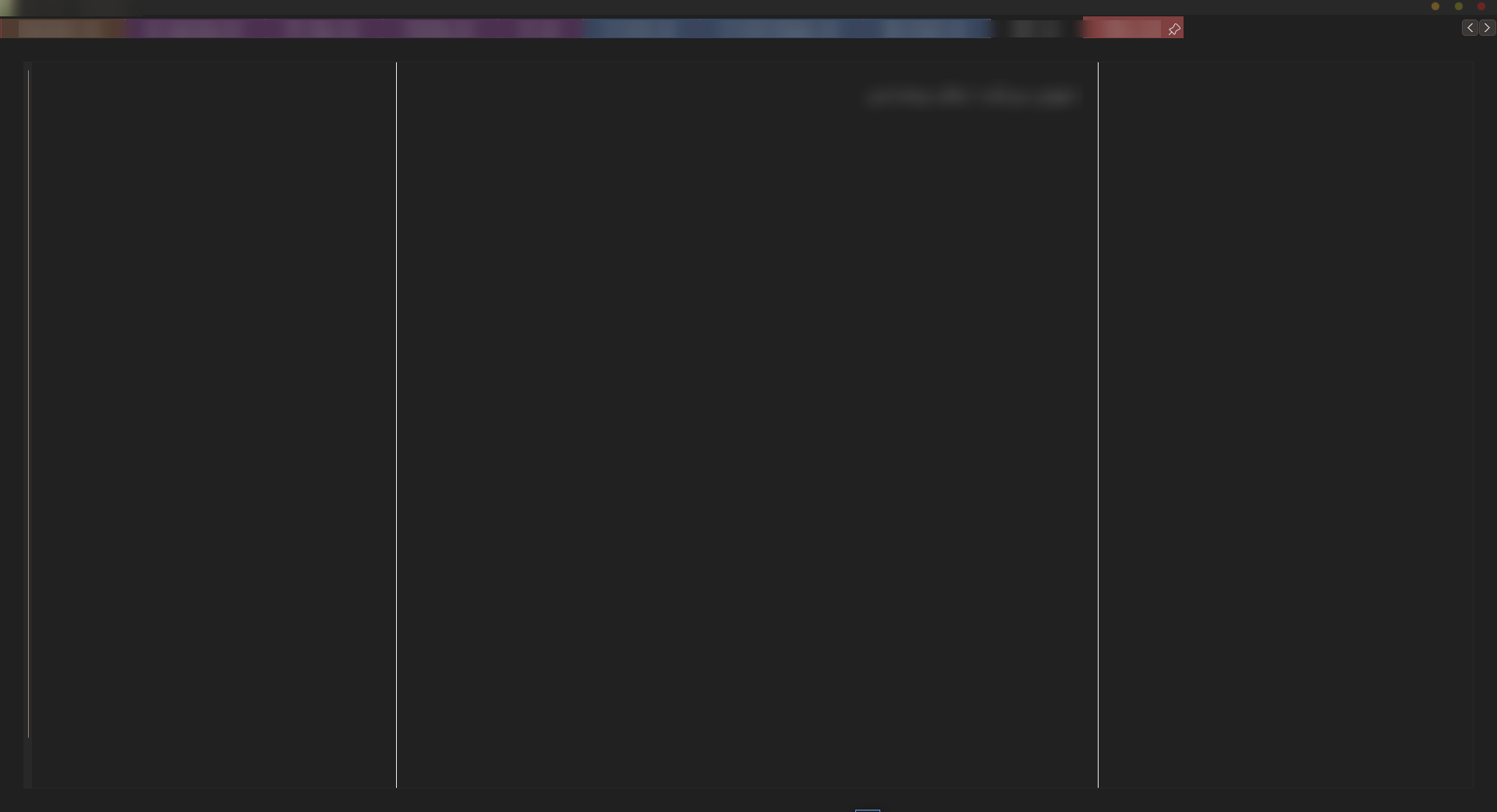
-
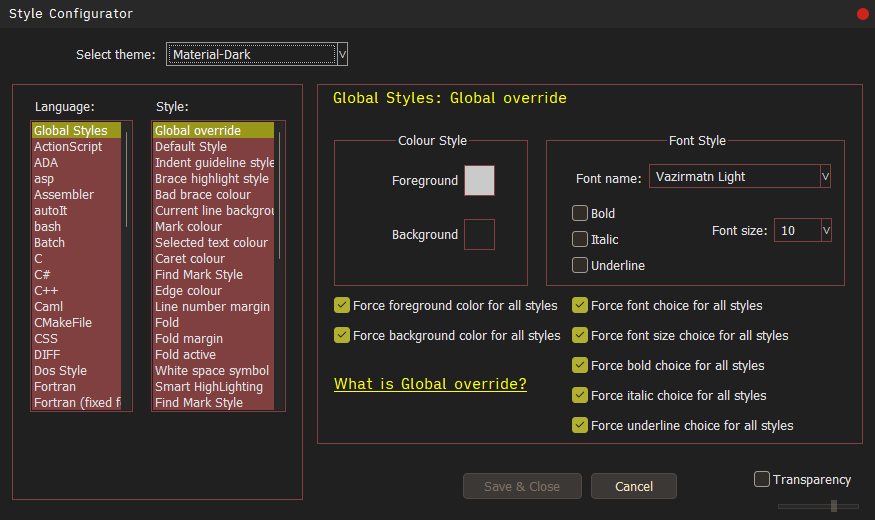
If you were to select a dark mode (supplied with Notepad++, since your Material-Dark seems to be a custom one), say DarkModeDefault, do the vertical lines re-appear?
If they re-appear that it’s seems likely your colour scheme isn’t setup correctly. As @Lycan-Thrope asked, what is your “Edge Color”? Play with the actual color used there for your custom dark theme as you may get the vertical lines to re-appear by swapping out your current color.
Terry
-
@Terry-R
Oh, I sincerely apologize for my unclear question. I can always see the two vertical lines (as shown in the previous image). I actually wanted to enable the Background mode option when both vertical lines are visible, which now that I think about it, doesn’t make much sense (at least for me). I’m sorry, I was completely distracted. Feel free to delete this thread if you’d like. -
@FNActivity said in Loss of ability to create two vertical lines in Vertical Edge Settings:
I can always see the two vertical lines (as shown in the previous image). I actually wanted to enable the Background mode option when both vertical lines are visible
Thanks for responding and letting us know. Yes, it was a bit of a wild goose chase. At least you appear to have answered your own question which isn’t the one in the title.
Terry


Hello! It looks like you're interested in this conversation, but you don't have an account yet.
Getting fed up of having to scroll through the same posts each visit? When you register for an account, you'll always come back to exactly where you were before, and choose to be notified of new replies (either via email, or push notification). You'll also be able to save bookmarks and upvote posts to show your appreciation to other community members.
With your input, this post could be even better 💗
Register Login