How can i get rid off the syntax?
-
Hello. I have some issue. I want to get rid off “properties” syntax. Every time i import .cfg file it gives me this exact syntax. Even if i disable it in option it is always present after i pick the file(it just not show the syntax active). I have to manually change it everytime and its exhausting. How can i disable this syntax link with .cfg files? What i want is just “normal text” syntax everytime i open and save these files. I want to mention that on older version i didint have this issue but i uptaded recently. Below how it looks.
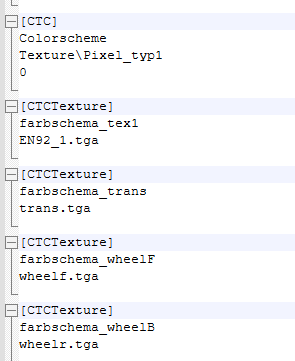
-
In v8.4.8,
.cfgwas associated with the Language > P > Properties. If you don’t like that , you can edit%AppData%\Notepad++\langs.xml(🛈) , search for"props"(include the quotes), then in that line, remove thecfgfrom theext="..."list. Save, and exit Notepad++ completely. The next time you open a.cfgfile (and all subsequent times), it will open as a Normal text file rather than a Properties file. -
@PeterJones thanks for the tip. The problem was solved.


Hello! It looks like you're interested in this conversation, but you don't have an account yet.
Getting fed up of having to scroll through the same posts each visit? When you register for an account, you'll always come back to exactly where you were before, and choose to be notified of new replies (either via email, or push notification). You'll also be able to save bookmarks and upvote posts to show your appreciation to other community members.
With your input, this post could be even better 💗
Register Login