Interface display boxes that I cant remove
-
Hi,
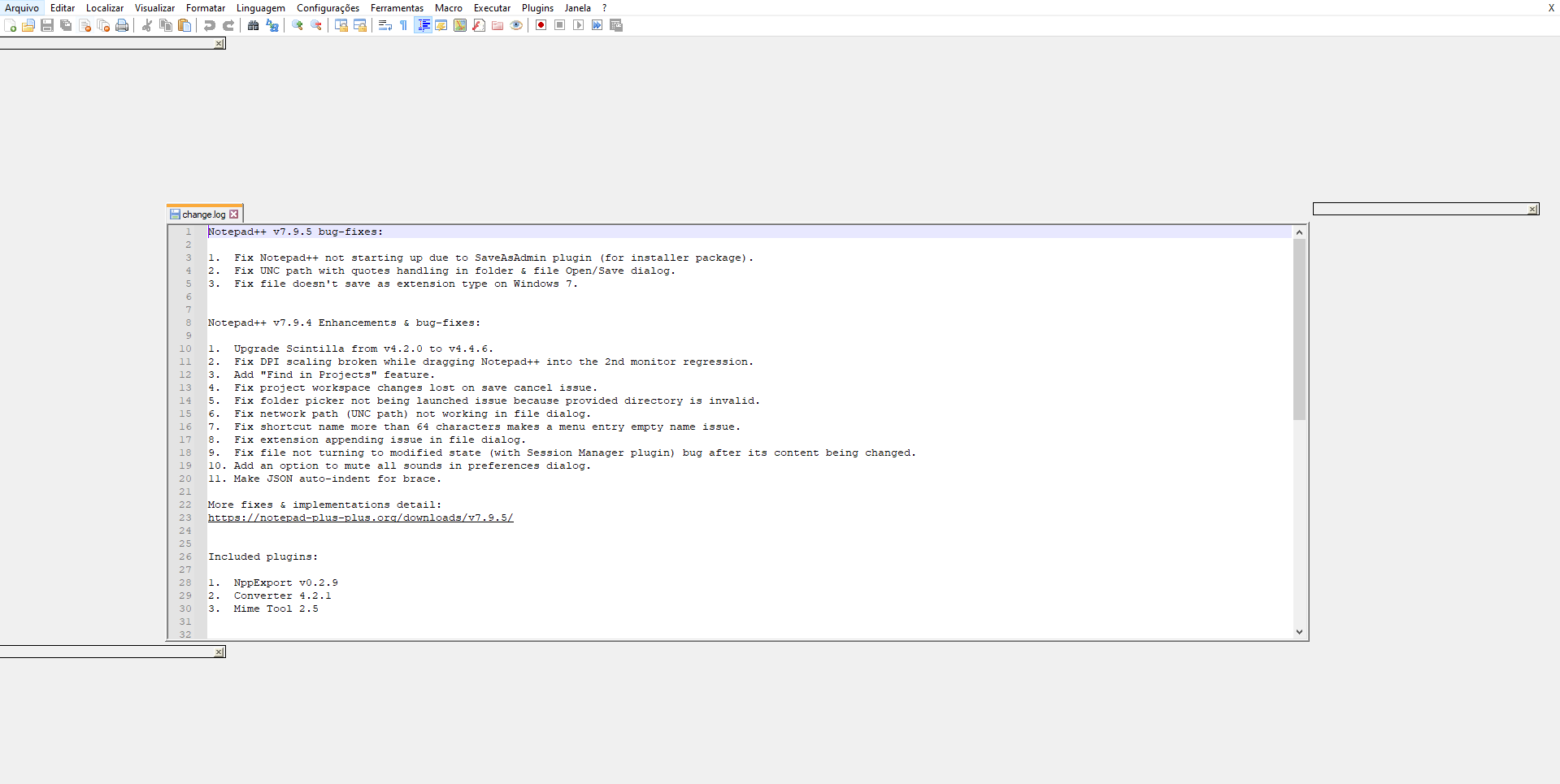
I opend my Notepad++ today and it displays some extra boxes on the interface, if i close them i can use normally, but if i close the program and open again the extra boxes appear again. I tried to unistall it form my computer and install a new version but the problem still ocurring.
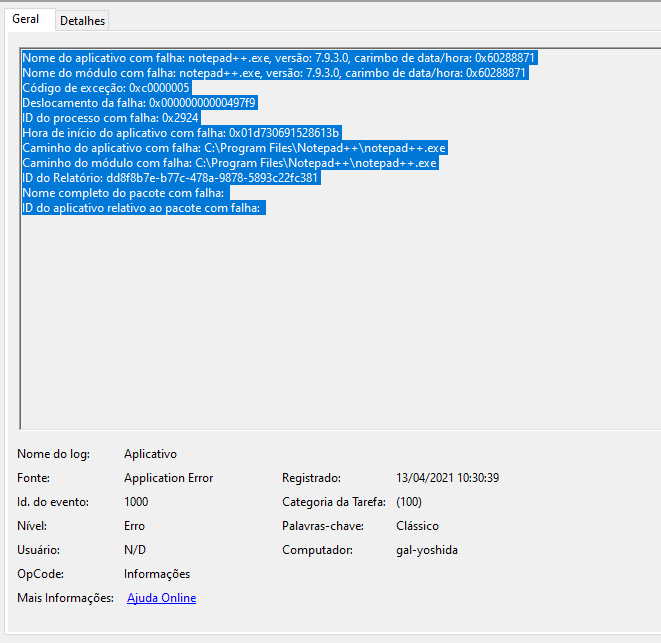
If i tried to move theses boxes the notepad++ crashes and I have to open it again.
Here the imagem of the notepad ++ and windows crash report![alt text]
-
@Lucas-Lima said in Interface display boxes that I cant remove:
I opend my Notepad++ today and it displays some extra boxes on the interface,
Please see:
https://community.notepad-plus-plus.org/topic/20996/tabs-are-floating-after-upgrade-to-7-9-5
https://community.notepad-plus-plus.org/topic/20997/odd-margins-around-windowwhich describe the same problem and potential solution.
Cheers.
-
It appears an issue on this was opened on github, but the author of Notepad++ closed it, citing not enough information. I’m not sure what more information people that this happens to could provide – I mean, you open the program and expect to see a reasonable UI, and you see…well, something like the above. Not sure what more there is to provide.
Anyway, here’s the issue I mentioned: https://github.com/notepad-plus-plus/notepad-plus-plus/issues/9760



Hello! It looks like you're interested in this conversation, but you don't have an account yet.
Getting fed up of having to scroll through the same posts each visit? When you register for an account, you'll always come back to exactly where you were before, and choose to be notified of new replies (either via email, or push notification). You'll also be able to save bookmarks and upvote posts to show your appreciation to other community members.
With your input, this post could be even better 💗
Register Login