@Andrey-Fedorchuk ,
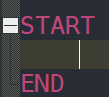
UDL wasn’t really intended for “phrases”; it was meant as a simple keyword/operator highlighter. In certain fields (the folding fields and the delimiter fields), you can put double-quotes around phrases so that the space will be part of the folding-trigger or delimiter… but I don’t know of a way that allows embedding quotes inside a multi-word phrase. Sorry.
You might want to look into the AnalysePlugin – it’s reason for existing is to make navigating/searching/highlighting large logfiles easier.
Alternately, the EnhanceAnyLexer will allow you to change the foreground color of strings matching regexes, so if you have an OpenWRT UDL, then making a [OpenWRT] section in the EnhanceAnyLexer config will allow you to define regex-based rules, which could use a regex like ^Successful ping of the target.*$ for matching any line starting with those… or if you want only the exact, then do the exact line.